



Songling
Write and arrange
Chords, then a melody, then a song, played back as you go.
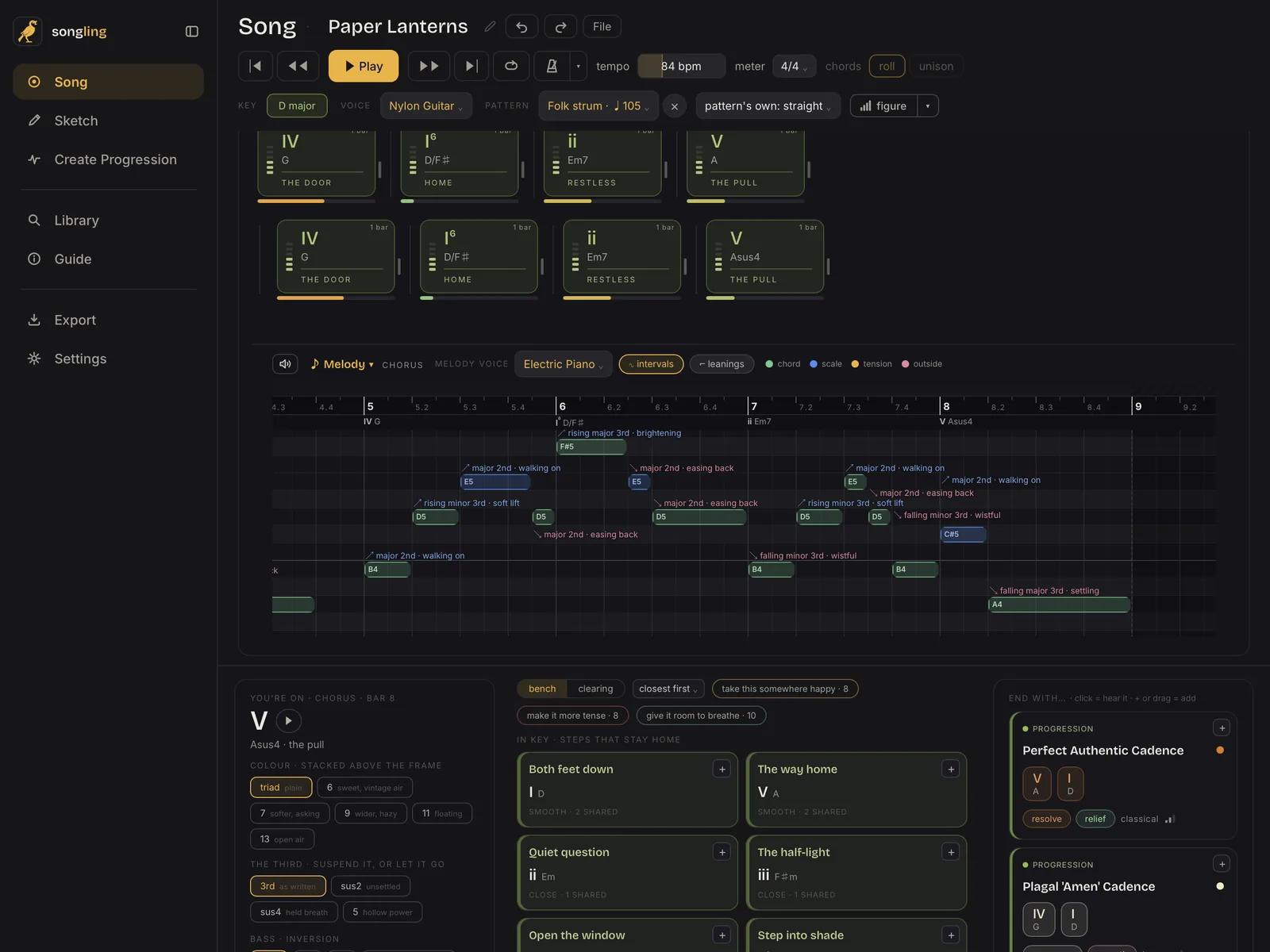
The Song page
- Sections and chords. Verse, chorus, bridge: each a strip of chords you can drag, stretch and reorder with a finger.
- Your key's chords, ready. The key row lays out every chord of your key or scale. Double tap one to add it, or drag it where you want it.
- Any scale as your key. Major and minor, the modes, and all 74 scales, from Dorian to Hirajoshi.
A melody that knows the chords
- Draw notes with a finger. Each note shows how it sits on the chord under it, so you can hear and see what holds and what leans.
- Grips on every note. Pull either end to lengthen or shorten it, without having to hit a tiny edge.
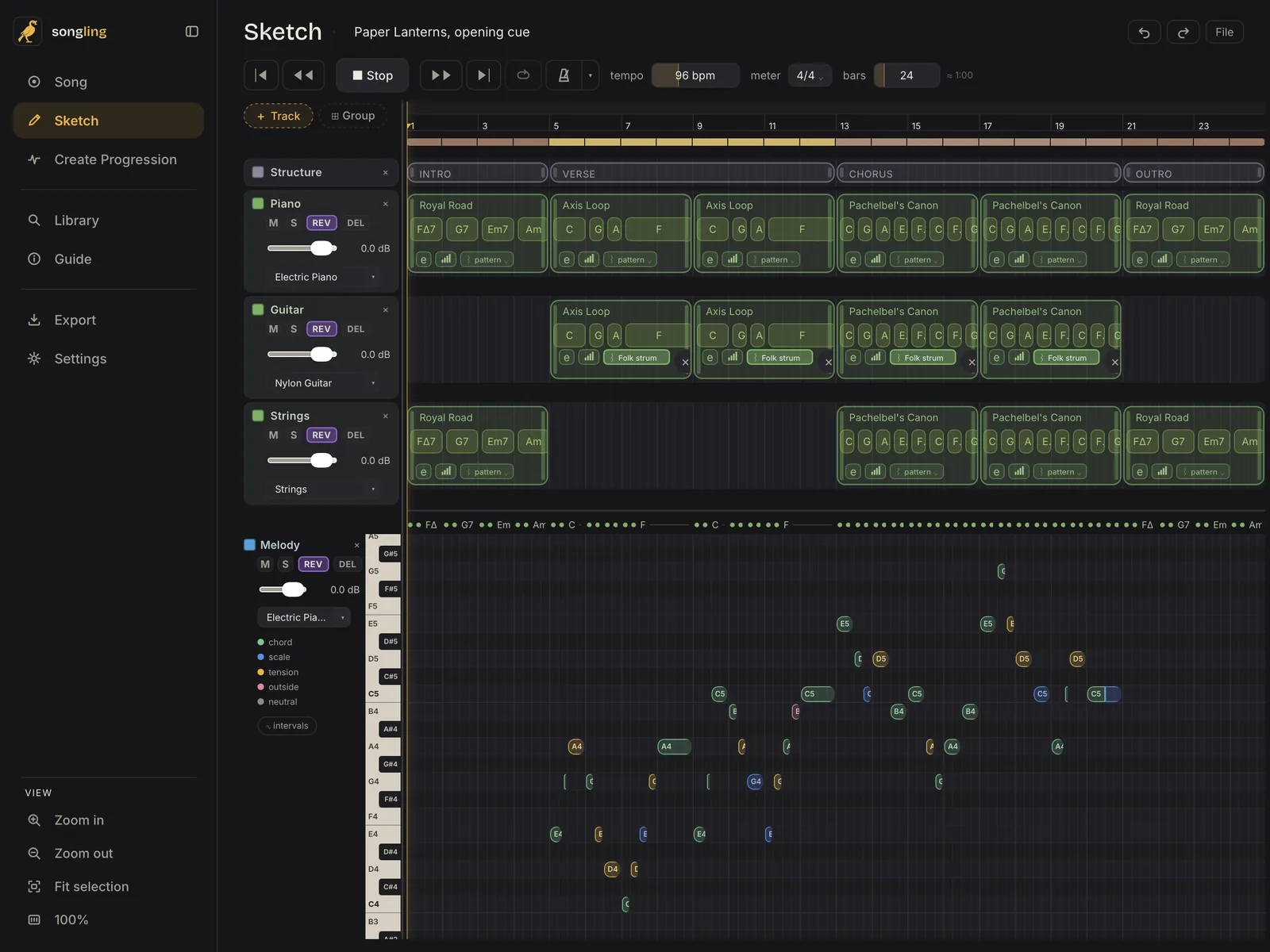
The Sketch
- Arrange it. A timeline of harmony and melody tracks, with blocks you move and stretch.
- Search right on the track. Find a chord or a progression without leaving the Sketch.
- Mix it. Each track has its own instrument, volume, reverb and delay.